
Case Management Software Law Firm: Choosing the Right Solution
Think about your law firm's daily routine for a moment. Where does everything live? You’ve probably got client files in physical cabinets, critical emails buried in a dozen different inbox threads, and looming deadlines scribbled on sticky notes or scattered across multiple calendars.
If that sounds familiar, you're not alone. This kind of information chaos is the default for many practices, but it's also a huge drain on your most valuable resource: time.
Why Your Law Firm Needs a Digital Command Center
Trying to manage a modern legal practice with scattered information is like trying to conduct an orchestra where every musician has a different sheet of music. It's disorganized, inefficient, and bound to hit a few wrong notes. That's where case management software comes in.
It's not just another piece of software; it's a central hub for your entire practice. Think of it as a digital command center that brings every case-related detail—documents, deadlines, communications, contacts, and billing information—into one organized, accessible system. This isn't just a minor upgrade; it's a foundational step in how modern law firms operate. You can learn more about this trend in our guide to the digital transformation in the legal industry.
From Daily Chaos to Digital Clarity
Without a unified system, your attorneys and paralegals are likely sinking countless non-billable hours into simply hunting down information. That’s time that could be spent on strategy, client communication, or actual legal work. The shift from that frantic, reactive scrambling to proactive case management is dramatic.
The table below paints a clear picture of this "before and after" scenario.
The Shift from Daily Chaos to Digital Clarity
| Challenge Without Software | Solution With Software | Key Outcome |
|---|---|---|
| Information is scattered across emails, physical files, and local drives. | A centralized digital case file stores all documents, notes, and communications. | Instant Access: Anyone on the team can find what they need in seconds. |
| Deadlines and court dates are tracked manually, risking missed events. | An automated calendar and task management system tracks all critical dates. | Reduced Risk: Never miss a deadline again, protecting the firm from malpractice claims. |
| Team members work in silos, unsure of the latest case developments. | A shared activity feed and real-time updates keep everyone on the same page. | Improved Collaboration: The entire team works from a single source of truth. |
| Responding to client inquiries requires digging for information. | All client details and communication history are available in one place. | Better Client Service: Provide faster, more informed responses to clients. |
Adopting a central system tackles the daily frustrations that prevent your team from doing their best work.
The market certainly reflects this need. The legal case management software market is expected to balloon from USD 1.9 billion in 2024 to nearly USD 5.9 billion by 2033. A massive 64% market share is now held by cloud-based systems, which offer the flexibility modern firms need to work from anywhere. You can dig into more market trends at Scoop.market.us.
This screenshot shows what a typical case hub looks like—a clean, at-a-glance dashboard with all the vital signs of a case right at your fingertips.
No more digging through folders or searching through old emails. The most critical information is presented clearly, right when you need it.
The True Cost of Inefficiency
The real price of disorganization isn't just the time you waste; it’s the domino effect it has on your client service and your firm's reputation. A missed deadline can quickly escalate into a malpractice claim, and slow, disorganized responses leave clients feeling frustrated and unimportant.
A digital command center does more than just organize your files. It gives your team a sense of control and confidence. When everyone knows exactly where to find what they need, they can finally stop chasing paper and focus on practicing law.
Putting this kind of technology in place is a strategic move. It solves the real-world, day-to-day problems that are holding your firm back and paves the way for smarter operations and sustainable growth.
Exploring the Core Features of Modern Legal Software
Modern case management software is so much more than a digital filing cabinet; it’s the central nervous system for your entire practice. To really get a feel for its impact, you have to look past the general idea and dig into the specific features that turn chaotic, paper-heavy workflows into a well-oiled machine. These tools are built to mirror the natural lifecycle of a case, creating a single, connected workspace for your whole team.
At the heart of any great system is the Case Hub. This isn't just another folder with a client's name on it. Think of it as a dynamic dashboard that gives you a 360-degree, real-time view of every single matter. It pulls together all the crucial information that was once scattered across physical files, email inboxes, and stray sticky notes.
The Central Case Hub
Think of the Case Hub as the command center for each case. From this one screen, you can instantly see every related document, track upcoming court dates, review the latest client emails, and see who is involved. It completely eliminates the time wasted hunting for information, giving everyone on the team immediate context.
This is all about moving from a state of organized chaos to one of total clarity.
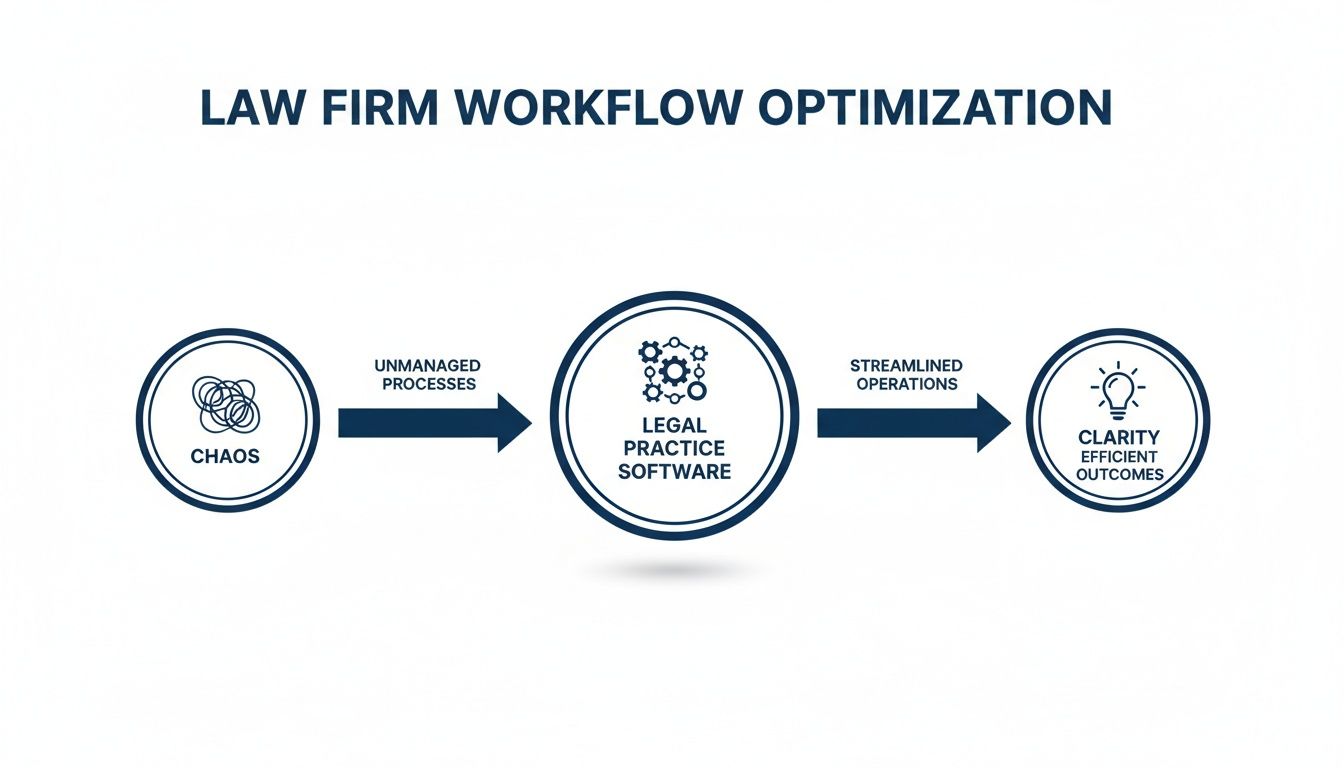
That transition from a tangled mess to a straight line is exactly what a well-designed Case Hub delivers. It becomes the single source of truth for your entire firm.
Intelligent Document and File Management
A law firm literally runs on documents. Pleadings, contracts, evidence, correspondence—managing these assets is a massive undertaking. Modern software takes on this challenge with smart features that go far beyond just cloud storage.
Key document management capabilities include:
- Version Control: This is a lifesaver. It ensures everyone is working from the most current draft, preventing the kind of costly mistakes that happen when someone edits an old version. You get a clear, auditable history of every change.
- Secure Cloud Access: Team members can securely pull up and work on documents from anywhere—the office, the courthouse, or their home office.
- Centralized Storage: Every case-related file lives in one logical place, linked directly to the matter it belongs to. For a deeper dive, check out our guide to legal document management.
A robust document system doesn't just store files; it creates a living archive for each case. Every piece of information is organized, accessible, and secure, forming the bedrock of an efficient practice.
Automated Calendaring and Deadline Tracking
Missed deadlines are a lawyer's worst nightmare and one of the biggest malpractice risks out there. Good case management software tackles this threat head-on with automated calendaring and deadline tracking systems that are infinitely more reliable than a paralegal’s manual calendar entries.
A clean, clear dashboard ensures that every critical date is always front and center. Nothing slips through the cracks. For a closer look at the tools that help firms stay on track, it's worth exploring different kinds of law firm project management software.
AI-Powered Drafting and Transcription
This is where things get really interesting. The integration of artificial intelligence is probably the most significant evolution in legal software recently. AI is no longer a futuristic buzzword; it's a practical tool that handles high-volume, repetitive tasks, freeing up attorneys to focus on high-value strategic work.
Imagine just telling your software: "Draft a client update letter based on the latest activity."
The AI can instantly pull the relevant information from the case file, plug it into an approved template, and spit out a polished first draft in seconds. The same goes for transcription. It can take dictated notes or recordings of client meetings and turn them into accurate text, filed directly into the correct case. This kind of integration creates a true ecosystem where every element is interconnected, every action is tracked, and every team member stays perfectly in sync.
How to Select the Right Software for Your Practice
Choosing case management software is a big deal. Think of it less like buying a new gadget and more like hiring a key team member. The right system can become the central nervous system of your firm, making everything run smoother and freeing up your team to focus on what matters. But the wrong one? It can become a source of daily frustration and a drain on your resources.
The trick is to cut through the marketing noise and the endless feature lists. You need to find a solution that fits how your firm actually works. Let's walk through how to do that without getting overwhelmed.
Define Your Non-Negotiable Requirements
Before you even glance at a product website or book a demo, you need to look inward. What are the biggest headaches in your firm’s daily operations?
A solo family law attorney has a completely different set of problems than a 50-person litigation firm handling complex discovery. Start by identifying your specific pain points. Are you constantly chasing deadlines? Is client communication a chaotic mess of emails and sticky notes? Are you spending too much time on administrative tasks that could be automated?
Your answers are your starting point. They'll tell you exactly what you need the software to do.
The goal isn't to find software with the most features; it's to find the software with the right features for you. A platform loaded with tools you'll never use is just expensive digital clutter.
Focus on what will make an immediate, tangible difference in your day-to-day.
Create a Core Feature Checklist
With your pain points identified, it's time to translate them into a concrete checklist. This will become your scorecard for evaluating different options. I always recommend splitting this list into two simple columns: "must-haves" and "nice-to-haves." This keeps you grounded in what's truly essential.
Consider these critical areas:
- Ease of Use: Is the interface actually intuitive? A system with a steep learning curve will face resistance from your team, no matter how powerful it is. If it’s not easy to navigate, people simply won't use it.
- Practice-Specific Tools: Does the software understand your area of law? A personal injury firm, for example, absolutely needs tools for tracking medical records and settlement negotiations. An immigration practice needs robust form automation and USCIS status tracking. Generic just won’t cut it.
- Scalability: Can this platform grow with you? You don’t want to be forced into a massive migration in two years because you’ve outgrown your system. Think about whether it can handle more users, more cases, and new practice areas.
- Integration Capabilities: How well does it connect with the tools you already rely on, like Outlook or your accounting software? A system that plays nicely with others prevents you from having to jump between programs and re-enter data.
Thinking through these points helps you build a custom evaluation framework. For a broader view, our guide on legal practice management software can provide more context.
To help you get started, here's a checklist that breaks down some common features you'll encounter. Use it to compare different software options and decide what's essential for your firm versus what would just be a bonus.
Essential vs. Advanced Software Feature Checklist
| Feature Category | Must-Have Functionality | Advanced (Nice-to-Have) Functionality |
|---|---|---|
| Case & Matter Management | Centralized case information, key date and deadline tracking, basic task management. | Customizable case workflows, advanced task dependencies, phase-based matter tracking. |
| Document Management | Secure cloud storage, version control, full-text search capabilities. | Integrated document automation, e-signature collection, OCR for scanned documents. |
| Client Communication | Centralized client contact database, email integration, secure client portal for sharing files. | Integrated text messaging (SMS), automated client intake forms, client satisfaction surveys. |
| Time & Billing | Time tracking (hourly/flat fee), basic invoicing, payment processing. | LEDES billing codes, trust accounting compliance, automated invoice reminders. |
| Security & Compliance | Data encryption (at rest and in transit), role-based user access controls. | Two-factor authentication (2FA), detailed audit logs, regional data residency options (e.g., GDPR). |
This table is just a starting point. Your firm's list will be unique, but it's a great way to make sure you're asking the right questions as you begin your search.
Ask the Right Questions During Demos
Once you start talking to vendors, that checklist is your best friend. Don't let a slick sales pitch distract you. You need to drive the conversation and get answers to the questions that matter most to your firm.
Go beyond the features and probe into the practicalities of what it's like to be their customer. Here are a few questions I always recommend asking:
- What does your onboarding and training process really look like? A great tool is worthless if no one knows how to use it. Ask for specifics on guided implementation, user training, and ongoing support.
- Who owns our data, and what happens if we decide to leave? This is a critical, non-negotiable point. You must have 100% ownership of your data and a clear, easy process for exporting it if you ever switch providers.
- Can you walk me through your security protocols? Get specific. Ask about data encryption, server locations (especially if you have data residency requirements), and how they handle access controls.
- What is the total cost of ownership? The monthly subscription fee is just the beginning. Be sure to ask about any setup fees, data migration costs, charges for training, or premium support tiers to get the full picture.
Getting straight answers to these questions tells you a lot about a company's transparency and how they view their clients. Remember, you’re not just buying a piece of software; you’re choosing a long-term technology partner for your firm.
Getting Your New System Up and Running: Integration and Security

Choosing the right case management software is a huge step, but it’s only the beginning. The real work starts when you bring that software into your firm's daily life. This is all about making it fit seamlessly with your existing tools and, most importantly, ensuring it protects your clients' sensitive information.
Your first big decision is where the software will "live": on-premise or in the cloud. An on-premise system is installed on your firm's own servers. This gives you complete control, but it also means you're on the hook for all the IT maintenance, updates, and security.
The other option is cloud-based software, often called Software-as-a-Service (SaaS), where the vendor hosts everything and you access it online. This model has taken over the legal tech world for some very good reasons.
The market for legal practice management software was valued at US$ 2,206 million in 2024** and is expected to more than double to **US$ 4,975 million by 2031. This massive growth is almost entirely thanks to the flexibility, remote access, and lower initial costs that cloud solutions offer.
Making Your Technology Work Together
Your new software can't be an island. For it to be truly useful, it needs to communicate with the other tools your team relies on every single day. If it doesn't, you just end up with disconnected silos of information, which is exactly what you're trying to avoid.
Think of an Application Programming Interface (API) as a universal translator that lets different programs talk to each other. A solid API is what allows your case management platform to connect with other essential tools, like:
- Email Clients: A direct link to Outlook or Gmail is a must-have. This lets you save emails and attachments right into the relevant case file from your inbox, creating a single, complete record of all communications.
- Accounting Software: Connecting to platforms like QuickBooks or Xero is a game-changer. It automates your billing by pushing time entries and expenses from your case files directly into your financial system, eliminating tedious double-entry.
These connections save time, slash the risk of human error, and give your team a single, streamlined workflow.
Building a Digital Fortress Around Your Data
For any law firm, data security isn't just an IT issue—it's a core ethical and legal responsibility. Client confidentiality is everything. Any software you bring into your firm has to meet the highest security standards to protect that trust. A critical part of this is understanding the best data security technologies available to keep client data locked down.
When you're vetting a software provider, you need to ask tough questions about their security measures. Here's what to look for:
- Data Encryption: All of your data—whether it's stored on a server ("at rest") or being sent over the internet ("in transit")—must be encrypted. This essentially scrambles the information, making it completely unreadable to anyone without the key.
- Secure Hosting and Compliance: The vendor must follow all the data protection rules that apply to your clients. If you work with clients in Europe, for instance, the platform needs to be GDPR-aligned. This often includes the option to host your data in secure Swiss or EU data centers to meet local data residency laws.
- Granular Access Controls: Not everyone at the firm needs to see every case file. Good software lets you set up role-based permissions, so you can restrict access to sensitive information to only the specific people working on that matter. You can learn more in our comprehensive law firm data security guide.
Ultimately, how seriously a vendor takes security tells you a lot about how well they understand the legal profession. Your firm’s reputation and your clients’ trust are on the line. Getting this right is non-negotiable.
Getting Your Team On Board and Measuring the Payoff
Signing the contract for a new case management software for law firm operations is a big step, but the real work starts now. Getting the software implemented successfully is where you turn a promising new tool into something your team can't imagine living without. The goal here is a smooth adoption, not a chaotic firm-wide disruption.
First things first: data migration. Let's be honest, the thought of moving years of client files, case notes, and billing records is daunting. You'll want to work hand-in-glove with your software provider to map out a clear migration plan. This is non-negotiable for making sure no critical information gets lost or jumbled in the move.
Once the data is sorted, it's all about training your team. Simply walking them through a feature list won't cut it. The key is to show them exactly how this new system solves their biggest daily headaches. When you tailor training to specific roles—what attorneys need is different from what paralegals or your front-office staff need—you’ll see adoption skyrocket.
A Phased Rollout for a Saner Launch
Resist the temptation to do a "big bang" launch where everyone gets the new software on the same day. A phased rollout is a much smarter, and frankly, saner approach. It lets you iron out the wrinkles with a small group before the system goes live for the entire firm.
Here’s what that looks like in practice:
- Start with a Pilot Group: Pick one practice area or a handful of your most tech-friendly team members to be the guinea pigs.
- Gather Feedback: Actively ask them what works, what doesn't, and where the roadblocks are. This isn't a time for assumptions.
- Refine and Iterate: Use their real-world insights to tweak settings, customize workflows, and improve your training materials.
- Expand Incrementally: Slowly roll out the software to other teams. Your pilot group will naturally become your internal champions, helping their colleagues get up to speed.
This methodical process builds positive momentum. By the time the whole firm is using the software, you’ve already created a fine-tuned system that’s ready for prime time.
Proving It Was Worth It: Measuring Your Return on Investment
So, how do you justify the expense and effort? Your return on investment (ROI) for case management software goes way beyond just the subscription fee. You need to track real-world metrics that show a clear, positive impact on your firm’s efficiency and, ultimately, its profitability.
The only way to truly measure ROI is to get beyond feelings and into the data. Your software shouldn’t just make work feel easier; it should give you the numbers to prove it.
The trick is to benchmark your firm's performance before you implement the new system. Then, you can track the changes in key performance indicators (KPIs) over the next few quarters. This data-driven story provides undeniable proof of the software's value to partners and stakeholders.
Key Metrics to Track for a Clear ROI
To show that your investment paid off, you need to focus on specific, measurable results. "We're more efficient" is a nice sentiment, but it doesn't mean much without numbers to back it up.
Here are the metrics that tell the most powerful story:
- Reduced Administrative Hours Per Case: Start tracking the non-billable time your team spends just hunting for documents, manually entering information, and organizing files. A 15-20% reduction in this kind of administrative drag is a common and fantastic ROI metric.
- Faster Document Generation: Time how long it takes to draft standard documents before and after. When you’re using integrated templates and dictation tools, you can slash document creation time, which frees up more time for billable work.
- Decrease in Deadline-Related Errors: Use your system's reporting to count how many deadlines were missed (or nearly missed). A drop in these incidents isn't just good for clients; it's a huge reduction in malpractice risk, which has a very real financial value.
- Improved Billable Hours Captured: See how much billable time was falling through the cracks with your old system. Automated time-tracking features almost always uncover a surprising amount of unbilled work, adding directly to your bottom line.
By tracking these concrete numbers, you can build a clear and compelling case showing that your new case management software isn't just another expense—it's a strategic asset that drives both better operations and real financial growth for your firm.
The Future of Legal Tech: AI and Automation

We're already seeing the next generation of case management software for law firms take shape, and it’s all about artificial intelligence. AI is no longer just a behind-the-scenes tool that neatly files your data. It's quickly becoming an active partner in your daily work, turning your software into an intelligent assistant that can handle complex requests on the fly.
Think about talking to your workspace and getting an immediate answer. You could ask, "Summarize my last call with the client" or "Pull up the expert witness report from the Smith case," and the system would instantly find and display it for you. This "AI navigator" concept makes digging through mountains of case data feel as simple as having a conversation.
AI as Your Co-Counsel
This intelligent layer is perfect for automating the high-volume, low-strategy tasks that eat up so much of an attorney's day. It’s not just a theory; it's happening now. A recent survey found that 77% of legal professionals are already using AI for document review, and 74% use it for legal research. These aren't fringe numbers—they show AI is quickly becoming a trusted partner for core legal work.
Instead of just storing your documents, the system actually understands what's inside them. This opens the door to some incredibly powerful features:
- Predictive Analytics: AI can sift through data from all your past cases to spot patterns and even help forecast potential outcomes. This gives you a strategic edge right from the start.
- Automated Summaries: Imagine instantly getting a concise, actionable summary of a five-hour deposition or a hundred-page transcript. This saves countless hours of manual reading.
This isn't about replacing lawyers. It's about augmenting their skills. The goal is to free legal professionals from administrative burdens so they can dedicate their expertise to strategy, client relationships, and high-value legal analysis.
The Rise of Generative AI in Legal Drafting
Generative AI is a huge piece of this puzzle, especially when it comes to creating documents. You could simply tell the system, "Draft a client update letter using the approved template," and have a solid first draft ready in seconds. It’s a game-changer for efficiency.
If you want to dig deeper into this, our article on generative AI for law firms is a great resource.
The image below gives you a glimpse of how AI can weave itself directly into the drafting process, offering suggestions and automating repetitive content.
This kind of seamless integration makes your workflow faster, more consistent, and a lot less stressful. It’s fundamentally changing how legal work gets done.
Frequently Asked Questions
Jumping into case management software brings up a lot of questions. It’s a big decision. We've compiled the most common ones we hear from law firms to give you straightforward answers on cost, security, and the reality of making the switch.
What’s the Real Cost of Case Management Software for a Law Firm?
The price tag can swing wildly depending on what you need, how many people will use it, and whether it’s in the cloud or on your own servers. For most modern cloud-based tools, you're looking at a monthly subscription per user, typically somewhere between $30 and over $150 per person.
But that subscription fee is just the beginning. You have to look at the total cost of ownership to get the full picture. Make sure you ask vendors directly about the other, often hidden, one-time fees:
- Setup & Implementation: What does it cost to get the system up and running?
- Data Migration: How much will they charge to pull your data from your old system?
- Training & Support: Is hands-on training included, or is that extra? What about premium support?
Always get a detailed quote. The last thing you want are financial surprises after you've already committed.
Is My Client Data Actually Secure in the Cloud?
Absolutely—as long as you choose a reputable provider. In fact, a top-tier cloud platform often has far more robust security than what an individual firm could ever build or maintain on its own. For these companies, security is the foundation of their business, not just a feature.
Security in a quality cloud system isn't just a promise; it's a technical architecture. Look for vendors who can prove their commitment with certifications and transparent security protocols.
Drill down into their security specifics. You should be looking for things like end-to-end data encryption, proof of regular third-party security audits, and strict compliance with regulations like GDPR. Many even let you choose where your data lives—say, in secure Swiss or EU data centers—to satisfy local data residency laws.
How Painful Is It to Switch to a New System?
Honestly, it depends on two things: where you're coming from and how good your new provider’s support is. A vendor worth their salt will have a clear, structured onboarding plan, including a guided process for migrating your data from old spreadsheets or legacy software.
To make the transition feel less like ripping off a band-aid, think about a phased rollout. You could start with one practice area or a small group of tech-friendly colleagues to iron out the wrinkles before everyone else jumps in. Good training and responsive support are non-negotiable; they make all the difference in getting your team comfortable and confident from the very beginning.
Ready to see how an AI-powered workspace can transform your practice? Whisperit unifies dictation, drafting, and case management into a single, intuitive platform. Start streamlining your workflow today.