
Legal Matter Management Software: Boost Workflow Efficiency
Legal matter management software is your command center for every legal case. It’s a dedicated digital platform that pulls all the scattered pieces—documents, deadlines, emails, and billing details—into one organized, easy-to-access place. This helps legal teams get a firm grip on their workload and operate far more efficiently.
So, What Exactly Is Legal Matter Management Software?
Picture this: you're trying to conduct an orchestra, but every musician has a completely different sheet of music. Some pages are crumpled, others are old versions, and a few are just missing. The result? Pure chaos.
For many legal teams, this isn't just a metaphor—it's their daily reality. They're drowning in a sea of disconnected emails, messy spreadsheets, and confusing document folders. It’s a recipe for confusion and unnecessary risk.

Legal matter management software is the conductor's podium in this scenario. It gives everyone a single, synchronized view of the entire case, making sure the whole team is on the same page. This tech turns the typical disarray of information into a smooth, functional hub where work actually flows.
This kind of system gets right to the heart of the problems that slow down legal work: administrative bottlenecks, high-stakes risks, and communication gaps. No more digging through ancient email threads for a crucial attachment—it’s already filed in the right place. Forget manually updating a spreadsheet with looming deadlines; the system tracks them for you.
It’s More Than Just a Digital Filing Cabinet
It's easy to mistake this software for a fancy digital filing cabinet, but that’s selling it short. Its real power comes from connecting all the different pieces of information that make up a case. For example, a single platform can tie together:
- A client’s contact details to every single email and document related to their matter.
- A critical court deadline to the specific tasks and people responsible for meeting it.
- Billable hours directly to the work that was done, which makes creating invoices almost automatic.
This web of connections is what sets a true matter management platform apart from basic cloud storage. By linking these data points, the software creates a level of context and clarity that you could never achieve with manual systems. You can dig deeper into how these unified platforms work by exploring what makes up a modern case management system for lawyers.
A recent survey found that 47% of government legal pros feel they sink too much time into administrative work. A centralized system is the perfect answer, automating tedious tasks and cutting down the time wasted just looking for things.
The Bedrock of Modern Legal Work
At the end of the day, legal matter management software is the foundation for running a modern legal operation. It's a key piece of the wider Legal Tech world that is changing how law firms and in-house legal departments get things done.
This is no longer a "nice-to-have" tool for massive firms. It's become essential for any legal team that values consistency, security, and the ability to grow. By taming the chaos, it frees up legal professionals to spend less time on paperwork and more time on what they were trained to do: practice law.
The Core Features That Power Modern Legal Work
So, what really makes legal matter management software tick? It's not just one thing. Think of it as a collection of interconnected tools, all working in concert to bring some much-needed order to the often chaotic world of legal workflows. These features are the engine driving everything from efficiency to risk reduction.
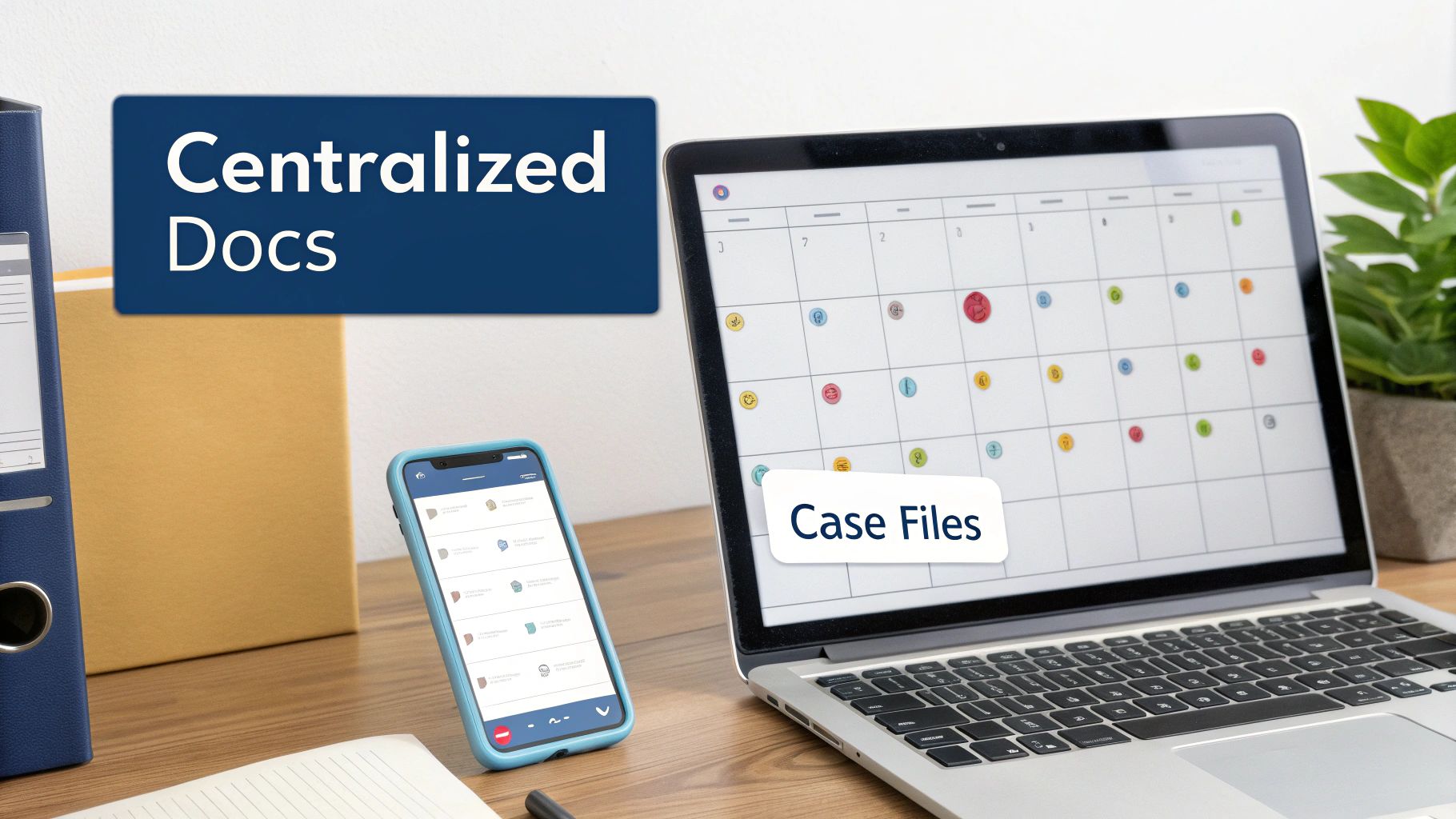
It’s a bit like a well-stocked toolbox. You wouldn't use a hammer for a screw, and you shouldn't have to make do with generic software for specialized legal tasks. This is about having the right tool for every single job, built specifically for the demands of legal practice.
To give you a clearer picture, let's break down the essential features that form the backbone of these platforms. The table below outlines the core functions and, more importantly, the real-world benefits they deliver to legal teams every day.
Essential Features of Legal Matter Management Software
| Feature | Description | Key Benefit |
|---|---|---|
| Centralized Document Management | A single, secure repository for all case-related documents, complete with version control and audit trails. | Eliminates the risk of using outdated files and provides a clear, defensible chain of custody for every document. |
| Automated Calendaring & Deadlines | An intelligent calendar that tracks court dates, filing deadlines, and meetings, often with rules-based automation. | Drastically reduces the chance of missed deadlines, turning a reactive process into a proactive risk management strategy. |
| Integrated Time & Billing | Time tracking tools that are built directly into the workflow, allowing for instant logging of billable activities. | Captures more billable hours accurately and streamlines the entire invoicing process, improving cash flow. |
| Task & Workflow Management | Tools to assign tasks, set priorities, and create standardized workflows for repeatable legal processes. | Enhances team collaboration, ensures accountability, and guarantees that crucial steps are never missed. |
| Robust Security & Compliance | Features like role-based access controls, data encryption, and audit logs to protect sensitive client information. | Safeguards client confidentiality and helps the firm meet its ethical and regulatory obligations. |
| Reporting & Analytics | Dashboards and reporting tools that provide insights into caseloads, team productivity, and financial performance. | Enables data-driven decision-making for better resource allocation and firm management. |
These features aren't just a random list of functions; they are designed to work together seamlessly, creating a system that is far more powerful than the sum of its parts.
A Centralized Hub for Every Document
Let's be honest, managing documents is one of the biggest headaches in any legal matter. With contracts, motions, evidence, and emails flying around, it's dangerously easy to lose track of the most current version. That kind of mistake can be costly, like citing an old draft in a critical filing.
Matter management software puts an end to that chaos by creating a single source of truth for every file. This isn't just basic cloud storage. It’s an intelligent system with version control, strict access permissions, and a full audit trail. You can see exactly who touched a document and when, ensuring a rock-solid chain of custody. If you want to dive deeper, it’s worth understanding the finer points of effective document management for law firms.
Imagine a complex merger. The firm can store every due diligence report, contract, and regulatory filing in one unified matter file. When a junior associate needs to find the final, partner-approved purchase agreement, they know they’re looking at the right one. No guesswork, no risk.
Intelligent Calendaring and Deadline Tracking
In the legal field, a missed deadline can be catastrophic. It can lead to malpractice claims or even get a case thrown out. Trying to juggle court dates, filing deadlines, and client meetings across different calendars is just asking for trouble.
This is where modern software really shines. It automates the entire calendaring process, pulling together case-specific deadlines, court rules, and team schedules into one master view.
- Automated Reminders: Get timely notifications for upcoming deadlines sent to the entire team via email or in-app alerts.
- Rules-Based Calendaring: The system can automatically calculate a whole series of deadlines based on specific court rules or procedural steps.
- Centralized View: Partners can see all critical dates across every matter at a glance, making it easy to manage team workloads and spot potential conflicts.
This turns your calendar from a simple scheduling tool into a powerful risk management asset, ensuring nothing ever falls through the cracks.
Integrated Time Tracking and Billing
Here’s a startling fact: lawyers, on average, bill for just 33% of their workday. The rest is eaten up by administrative tasks, and a big part of that is inefficient time tracking. Trying to piece your day together from memory or messy notes inevitably means lost billable hours.
Legal matter management software builds time tracking right into your daily workflow. When you’re drafting an email, working on a document, or on a call, you can log your time with a click, and it’s automatically tied to the right client and matter. Every billable minute is captured, effortlessly.
This smooth process flows directly into billing. The software generates detailed, accurate invoices from the time and expenses you've logged, dramatically cutting down the administrative slog of billing cycles. It's also crucial that this sensitive financial data is protected by a comprehensive Information Security Management System to maintain client trust and compliance.
The Real Payoff: How Matter Management Software Shapes Your Firm's Future
It’s easy to get caught up in the individual features of a new software—an automated calendar here, a document hub there. And yes, those are great. But the real magic happens when those features start working in concert, driving bigger, more strategic wins for your practice. Adopting legal matter management software isn't just a digital housekeeping project; it's a core business decision that directly boosts your bottom line, enhances client relationships, and shores up your firm's long-term health.
This is the shift in thinking that separates good firms from great ones. The conversation stops being about "how can we find files faster?" and becomes "how can we increase our billable hours, build unshakable client loyalty, and finally get a clear financial picture of the entire practice?" The right platform connects the dots between its day-to-day tools and these crucial business objectives.
More Billable Hours, Less Administrative Drag
The first and most obvious win is a massive productivity boost. Think about all the non-billable time that gets eaten up by administrative friction—searching for that one specific document, chasing a colleague for a case update, or piecing together billing information at the end of the month. It's a constant drain.
By bringing all matter-related information into one place and automating routine tasks, legal teams get a huge chunk of their day back. That reclaimed time goes directly into high-value, billable work, turning an operational tool into a serious revenue driver.
This is where an integrated system really shines. When time tracking is part of the same workflow where the work happens, every minute is captured without a second thought. When document templates are standardized and accessible, drafting is quicker and more consistent. To see just how these small efficiencies compound, check out our guide on the game-changing benefits of workflow automation. These aren't minor tweaks; they fundamentally change the profitability of your practice.
Redefining the Client Experience
In today's market, the experience you provide your clients is just as important as the legal advice itself. Clients now expect a certain level of transparency and responsiveness, and they want easy access to their information. A good matter management system gives you the tools to deliver on that expectation, turning client service into a real competitive advantage.
A secure client portal, for instance, is a game-changer. It lets you share case files and status updates instantly and securely, ending the clumsy back-and-forth of endless email chains. This simple act of transparency builds incredible trust and shows clients you respect their time. When your team can pull up any detail of a client's case in seconds, that confidence comes through in every interaction, making your clients feel truly taken care of.
Finally, True Financial Clarity
You can't run a successful practice with a foggy view of your finances. Disconnected spreadsheets and siloed billing systems make it nearly impossible to see what's really going on. One of the most powerful benefits of a unified legal matter management software is the clear, real-time financial insight it provides.
- Spot-On Billing: Tying every time entry and expense directly to a specific matter means invoices are not only generated faster but are also far more accurate and easy to justify.
- Performance at a Glance: Dashboards and reports can instantly show you which practice areas are your most profitable, or which attorneys are meeting their billable targets.
- Smarter Budgeting: For in-house legal teams, the software is invaluable for tracking spending against budgets, preventing costly overruns, and giving you hard data to negotiate better rates with outside counsel.
This level of financial clarity allows you to make decisions based on data, not guesswork. The market is certainly taking notice; the legal case management software market was valued at USD 8.7 billion in 2023 and is expected to hit USD 12.3 billion by 2031. You can read a full breakdown on the growing legal software market. This growth isn't a fluke—it shows just how critical these platforms have become for running a modern, profitable legal practice.
How To Choose The Right Software For Your Team
Picking the right legal matter management software isn't about finding the one with the longest feature list. It’s about finding a platform that truly clicks with your team's day-to-day rhythm, solves your most nagging problems, and has the legs to grow with you. A system that feels like a natural extension of your workflow will get used; one that feels clunky will just gather digital dust.
The whole process starts with a bit of honest self-reflection. Before you even think about watching a demo, you need a crystal-clear picture of your own operations. Take the time to map out your current workflows, pinpoint the biggest bottlenecks that slow everyone down, and define what you want your firm to achieve in the next one to five years.
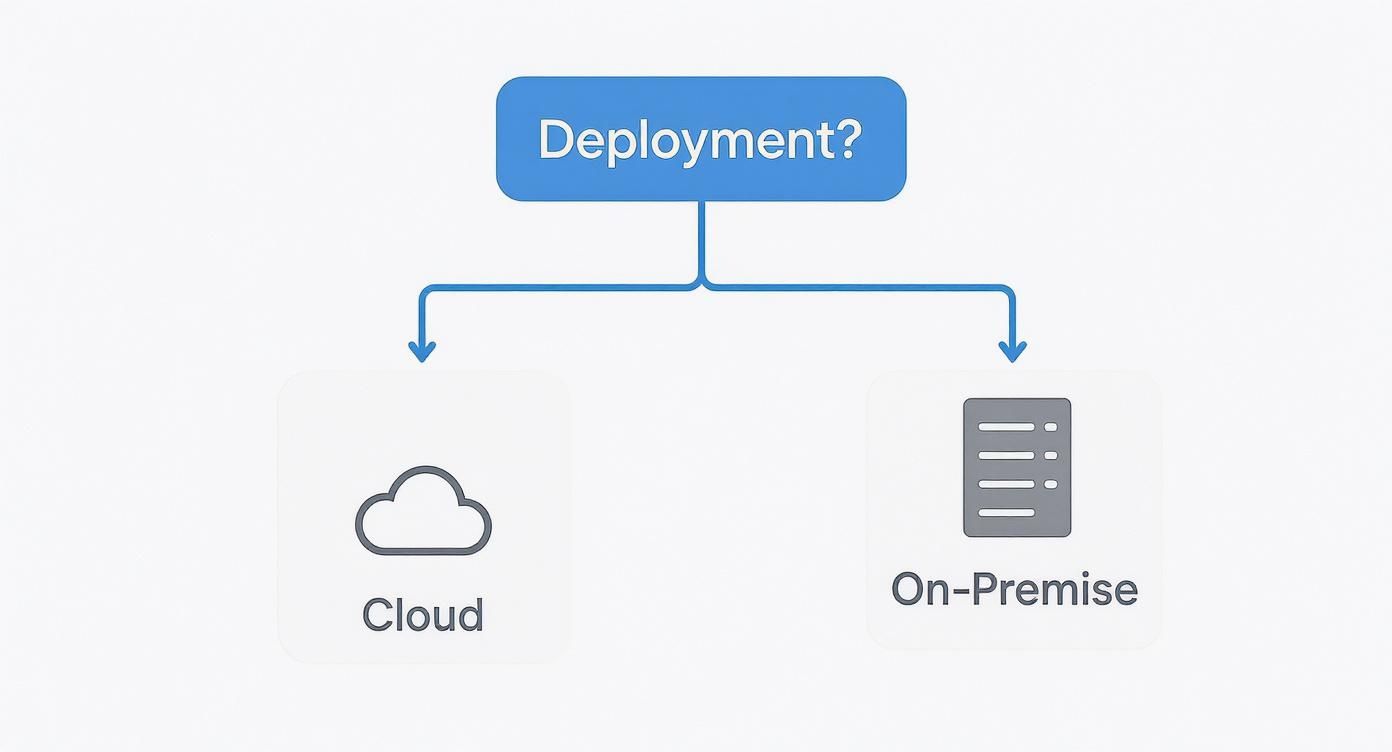
This decision tree gives you a visual for one of the first big questions: cloud or on-premise? The main takeaway here is to let your priorities lead the way. Are you after the anytime, anywhere flexibility of the cloud, or do you need the hands-on control that comes with your own hardware?
Assess Your Current Technology and Workflow
First, take stock of the tools your team already relies on. Does your firm practically live in Microsoft Outlook? Is QuickBooks the backbone of your accounting? Any new platform has to play nice with these existing systems, not put up a fight.
Seamless integration isn't just a nice-to-have; it's a deal-breaker. If a potential software can't connect to your email, calendar, and accounting tools, you're just swapping one headache for another. The goal is to build a single command center, not another isolated app that forces you to copy and paste information all day.
A key indicator of a good fit is how well a platform supports your specific workflows. For example, a litigation-heavy firm needs robust deadline and discovery management, while a corporate legal department might prioritize contract lifecycle and compliance tracking. One size does not fit all.
Once you’ve got a handle on your needs, you can start measuring potential solutions against a few critical benchmarks. This helps you make a choice based on real long-term value, not just a slick sales pitch. For a deep dive into the top contenders, check out our guide to the best legal practice management software to see how different platforms compare.
Key Evaluation Criteria for Your Shortlist
As you start to narrow the field, keep your focus on these core areas. They'll help you figure out which option is the best long-term partner for your team.
- Scalability: Can this software keep up as you grow? A tool that’s perfect for a three-person team might start to creak and groan with twenty. Look for flexible pricing and the ability to add users or features without needing a complete system overhaul.
- Security and Compliance: This is non-negotiable. The software must have rock-solid security, including data encryption, role-based access, and regular security audits. Make sure the provider complies with standards like GDPR, especially when you're handling sensitive client information.
- User Experience (UX): If the software is a pain to use, your team won't use it. It's that simple. An intuitive, clean design makes all the difference and ensures you actually get the value you're paying for.
- Vendor Support and Training: What happens after you sign on the dotted line? Look for a partner who provides solid onboarding, responsive support, and plenty of training materials to help your team get up to speed and stay sharp.
Demystifying the Cloud vs. On-Premise Debate
One of the first forks in the road you'll encounter is choosing between a cloud-based (SaaS) platform and an on-premise one. This choice really comes down to what your firm values most: accessibility, cost, or control. A cloud-based system keeps your data on the vendor's secure servers, letting you access it from any device with an internet connection. On the other hand, an on-premise solution means you host the software on your own servers, giving you total control.
Here’s a simple breakdown to help you weigh the pros and cons.
Comparing Cloud-Based vs. On-Premise Software
| Factor | Cloud-Based (SaaS) | On-Premise |
|---|---|---|
| Initial Cost | Low. Typically a predictable monthly or annual subscription fee. | High. Requires significant investment in server hardware and software licenses. |
| Accessibility | High. Access from anywhere with an internet connection, on any device. | Limited. Generally restricted to office networks unless a VPN is set up. |
| Maintenance | None. The vendor handles all updates, security, and maintenance. | Full responsibility. Your IT team manages all updates, patches, and hardware. |
| Security | Managed by the vendor, who has specialized security teams and infrastructure. | You have direct control over your own security protocols and infrastructure. |
| Scalability | Easy. You can add or remove users and features by adjusting your plan. | Difficult. Requires purchasing and configuring new hardware to scale. |
For most modern firms, the decision is becoming clearer. The flexibility, predictable costs, and scalability of cloud-based legal matter management software make it the more practical choice. It's built for how we work today—enabling remote access and ensuring your team always has the latest version of the platform without any IT intervention.
Seeing the Software in Action with Real Use Cases
It's one thing to talk about features and benefits in theory, but it’s another thing entirely to see how legal matter management software actually works in the real world. That’s when the value really clicks.
To make it tangible, let's look at how this technology solves the distinct, everyday challenges for two very different legal teams. These stories go beyond a simple feature list to show how the right platform can become the very backbone of a modern legal operation.

By walking through these scenarios, legal pros from any background can start to picture how this kind of tool could tackle the specific headaches they face daily, from messy evidence to runaway budgets. The proof is in the pudding, and more and more teams are seeing the practical impact.
Use Case 1: The Corporate Legal Department
Picture the in-house legal team at a mid-sized tech company. Their day is a constant juggle of complex compliance projects, endless contract reviews, and trying to keep a tight leash on what they spend with outside counsel. Before they adopted a matter management system, their biggest problem was a total lack of visibility.
Crucial information was scattered across different email inboxes and a dozen spreadsheets. Trying to track project status or budgets in real time was nearly impossible. This chaos often led to those dreaded surprise invoices from external law firms, completely blowing past their quarterly forecasts.
Once they brought in legal matter management software, their entire workflow changed.
- Centralized Matter Files: Every single compliance project got its own digital file, a single source of truth for all related documents, communications, and key dates.
- Budget Tracking: The software gave them a real-time dashboard showing exactly what was being spent with each outside firm on a per-matter basis. No more budget surprises.
- Automated Contract Review: They used the platform's automation tools to build a standard workflow for contract review, making sure every agreement went through the proper channels without getting stuck in someone's inbox.
The result? A 20% reduction in outside counsel spending in the first year alone. The general counsel could finally make decisions based on hard data, not just guesswork.
Use Case 2: The Small Litigation Firm
Now, let’s pivot to a busy three-attorney litigation firm. Their challenge wasn't corporate compliance; it was the sheer volume and complexity of discovery. They were drowning in documents, struggling to keep up with intricate court deadlines, and finding it tough to collaborate effectively on case strategy.
Their old method—a mix of shared network drives and manual calendars—was a recipe for disaster. One missed filing deadline or a single misplaced piece of evidence could have catastrophic consequences for a client.
By adopting a unified matter management platform, they brought order to the chaos. The firm could tap into tools specifically designed for litigation, which are often supercharged with smart automation. You can see more examples of this in our guide on game-changing business process automation examples.
This new system let them:
- Organize Discovery: All discovery documents were uploaded, tagged, and indexed within the matter file, making them instantly searchable.
- Manage Deadlines: The software’s rules-based calendaring automatically calculated and tracked all court-mandated deadlines, sending out reminders to the whole team.
- Collaborate Securely: Attorneys could leave notes, assign tasks, and discuss case strategy right inside the platform, creating a clear, defensible record of their work.
This kind of transformation is happening everywhere. The global market for legal document management software was valued at $2.49 billion** in 2024 and is projected to hit **$9.67 billion by 2034. This huge jump shows just how massively the industry is shifting toward these digital solutions. You can find more details on this expanding market and its growth drivers.
Ensuring a Smooth Rollout and Team Adoption
So you've chosen the perfect legal matter management software. That’s a huge step, but it’s only half the journey. The most feature-rich platform on the market is basically an expensive paperweight if your team doesn't actually use it. A successful rollout isn't about flipping a switch; it's about leading your people through a significant change with a clear, supportive plan.
The real work starts with the human side of this shift. You're bound to run into some natural resistance, and building genuine enthusiasm takes a thoughtful strategy. It all comes down to communication, training, and proving the software’s value from day one.
Building a Foundation for Success
Before you even think about migrating data, you need to lay the groundwork for a smooth transition. Rushing the process is a recipe for confusion and frustration, making it nearly impossible for your team to see the benefits. A phased approach is almost always the right call.
Start small. Find a few tech-savvy people in your firm to be your pioneers and let them test the system with a handful of active matters. This small-scale trial run lets you iron out the wrinkles and, more importantly, creates a group of internal champions who can share their wins with more hesitant colleagues.
These internal champions are your secret weapon. They become the on-the-ground experts for questions and can explain the software’s benefits in a way that resonates with your team's day-to-day work. A success story from a trusted peer is far more powerful than any memo from management.
When it comes to adopting new tools, research consistently shows the learning curve is the biggest hurdle. Great training isn’t about showing people which buttons to press. It’s about answering the one question everyone is thinking: "What's in it for me?"
From Training to True Adoption
Generic, one-size-fits-all training sessions are a waste of time. To get people on board, the training needs to be tailored to their specific roles and show them exactly how the software will solve their biggest headaches.
- For Paralegals: Focus on how automated deadline reminders and document templates can shave hours off their administrative workload every single week.
- For Attorneys: Show them how they can get instant access to any case file from any device, making them more prepared and responsive whether they're at their desk or in the courtroom.
- For Managing Partners: Highlight the reporting dashboards that give them a real-time pulse on the firm's productivity and financial health, without having to chase down reports.
This targeted approach connects the dots between the new software and each person's daily grind, turning a mandated change into a welcome upgrade. Don't stop there. Follow up the initial training with ongoing support, like quick-reference guides and open Q&A sessions, to keep building their confidence.
At the end of the day, turning skeptics into fans is all about proving the value. When your team sees that the new legal matter management software makes their jobs easier, cuts down on risk, and helps them deliver better results for clients, adoption stops being a fight and becomes a natural next step. This is how you ensure your investment pays off, making the software a vital part of how your firm operates.
Answering Your Key Questions
Alright, you see the potential benefits, but adopting any new technology naturally brings up some practical, "what-if" questions. Let's tackle the common concerns legal professionals have when they start looking seriously at legal matter management software. This should help clear up those final details so you can move forward with confidence.
How Much Does Legal Matter Management Software Cost?
There's no single price tag, as it really depends on the provider. Most modern tools have moved away from massive, one-time upfront costs. Instead, they operate on a cloud-based subscription model, usually priced per user, per month. This makes powerful software much more accessible, especially for smaller firms.
A few things will influence that monthly figure:
- Number of Users: How many attorneys, paralegals, and support staff will need access?
- Feature Tier: Vendors typically offer different plans—think basic, pro, or enterprise—each with a different set of tools and capabilities.
- Data Storage: The sheer volume of documents and case files you need to store can also play a role in the final cost.
While it's an investment, the real return shows up in boosted efficiency, capturing more of those easily missed billable hours, and dramatically cutting down on administrative headaches.
Is My Client Data Secure in the Cloud?
This is, without a doubt, one of the most important questions you can ask. Any software provider worth their salt makes security their absolute top priority. They know the strict ethical and regulatory duties that come with handling sensitive legal data and build their platforms to meet those high standards.
When you're evaluating options, make sure the provider offers:
- Data Encryption: Your data should be encrypted both in transit (as it moves across the internet) and at rest (when it's sitting on a server).
- Compliance Certifications: Look for adherence to major standards like GDPR. It’s a good sign they take data privacy seriously.
- Role-Based Access Controls: This is crucial. It ensures people can only see the specific information they need to do their jobs—nothing more.
Think of it this way: by partnering with a specialized legal tech vendor, you're often getting a security setup that's far more robust than what a small or mid-sized firm could realistically build and maintain on its own.
How Difficult Is the Implementation Process?
With a bit of planning, getting set up can be a surprisingly smooth process. A good vendor won't just sell you the software and disappear; they'll act as a partner to guide you through it all—from migrating your data to setting up the system and training your team.
The process usually involves mapping out your current workflows, moving your existing case information over, and then holding training sessions tailored to different roles in the firm. Many firms find success with a phased rollout, maybe starting with a pilot group to work out any kinks and build some internal buzz before opening it up to everyone.
Ready to see how a voice-first AI workspace can unify your legal work? Whisperit combines your cases, documents, and AI-powered drafting into a single, calmer workflow.
Discover the future of legal work at https://whisperit.ai