
A Practical Guide to Legal Document Review Online
Staring at mountains of paper is no longer a rite of passage for legal professionals. Today, legal document review online is the standard for sifting through electronically stored information (ESI) with speed and precision. It swaps out slow, manual searches for powerful cloud-based platforms and AI, turning what was once a logistical nightmare into a real strategic advantage.
The End of the Paper Chase
Think about trying to navigate a huge city with a folded paper map. You'd spend ages tracing routes, completely missing real-time traffic jams, and probably getting lost. Now, compare that to pulling out your phone and using a GPS. It instantly finds the best path, adapts on the fly, and gets you exactly where you need to go. That's the same leap forward happening in legal work.
The old way—manual review—was that paper map. Teams of lawyers would literally camp out in "war rooms," physically sorting through box after box of documents. It was painstakingly slow, incredibly expensive, and riddled with human error. Just one missed document could derail an entire case.
Today, firms are facing a different kind of flood: Electronically Stored Information (ESI). We’re talking about a deluge of emails, text messages, spreadsheets, and cloud files that have replaced paper. The challenge of finding that critical "needle in the haystack" has only gotten bigger.
A Necessary Evolution for Modern Firms
This is where doing legal document review online becomes absolutely critical. It's the GPS for modern legal discovery. Cloud-based platforms and AI-powered tools give firms the horsepower to manage massive amounts of data securely and intelligently. These aren’t just nice-to-have features; they are foundational for any firm dealing with litigation, compliance audits, or internal investigations.
This isn’t just a passing trend; it's a massive shift in how the industry operates. In fact, adoption rates for AI-powered review tools among legal professionals skyrocketed from 19% in 2023 to a staggering 79% in 2024. This jump highlights just how urgent the need for efficiency has become. You can learn more about how technology is rewiring legal work in Clio's 2025 Legal Trends Report.
Moving away from paper-based methods is a critical step. For firms looking to make that switch, our guide on paperless office solutions is a great place to start. It’s about more than just moving faster—it’s about being more accurate, more secure, and gaining a serious competitive edge.
The core promise of online document review is simple: empower legal teams to focus on legal strategy, not logistical legwork. By automating the tedious parts of discovery, professionals can dedicate their expertise to building stronger cases.
To really see the difference, it helps to put the old and new methods side-by-side.
Traditional vs. Online Legal Document Review
The table below breaks down the key operational differences and shows why so many are moving away from the manual "paper map" approach to a more modern, digital "GPS" system.
| Aspect | Traditional Review | Online Review |
|---|---|---|
| Speed | Extremely slow, measured in documents per day. | Incredibly fast, measured in documents per hour. |
| Accuracy | Prone to human fatigue and oversight. | High accuracy, with AI identifying patterns humans might miss. |
| Cost | High costs for labor, storage, and physical space. | Lower, predictable costs with scalable software models. |
| Accessibility | Limited to a single physical location; no remote work. | Secure, global access for distributed teams. |
| Security | Vulnerable to physical theft, loss, or damage. | Fortified with encryption, access controls, and audit trails. |
As you can see, the benefits go far beyond just saving time. Online review strengthens security, cuts down on costs, and makes it possible for teams to collaborate from anywhere, which is essential in today's work environment.
Mapping Your Online Document Review Workflow
To really get a feel for how online legal document review works, you have to understand the journey a document takes. This isn't the chaotic paper shuffle of the past; it's a highly structured and transparent process. Think of it like a modern assembly line: raw data goes in one end and comes out the other as courtroom-ready evidence, with quality checks at every single station.
Let’s take a complex corporate lawsuit as an example. You’re dealing with millions of emails, contracts, and internal memos. Back in the day, that data would have been a complete nightmare, scattered across different servers, hard drives, and inboxes. Today, a central online platform brings order to that chaos, creating a defensible workflow from the start.
This flowchart shows just how far we've come, moving from manual, paper-heavy methods to the smarter, online workflows used today.
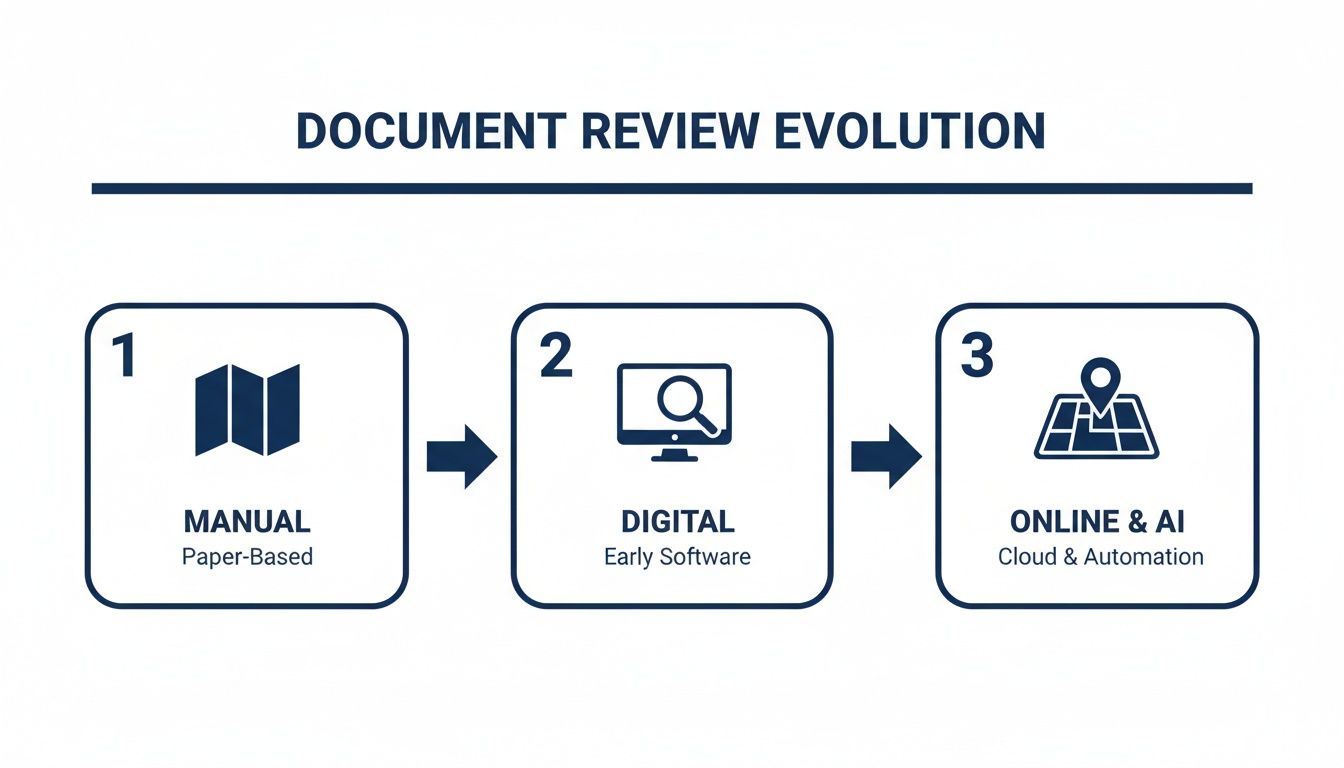
You can see the clear shift from fragmented, manual steps to a single, tech-driven system that gives legal teams more speed and control than ever before. Let's walk through what this modern workflow actually looks like, stage by stage.
Stage 1: Data Ingestion and Processing
First things first, you have to get all the electronically stored information (ESI) into one secure, central place. This is way more than a simple drag-and-drop file transfer. The platform actually processes the raw data to get it ready for review.
This involves a few crucial steps:
- De-duplication: The system automatically finds and gets rid of exact duplicate files. Right away, this shrinks the document pile and saves a ton of review time.
- Metadata Extraction: It pulls out key background info from the files—things like creation dates, authors, and email recipients—and makes it all searchable.
- Text Extraction and Indexing: The platform makes the content inside every single document fully searchable, including attachments and spreadsheets.
This foundational work creates a clean, organized, and searchable database. It's the bedrock for the entire review.
Stage 2: AI-Powered Culling and Prioritization
Now that the data is processed, the team can start cutting down the number of documents that actually need a human to look at them. This is where AI and advanced search tools shine. They act as an intelligent filter to weed out irrelevant files in a process we call culling.
For instance, a team might filter by date range to get rid of documents outside the relevant time period or run keyword searches to find potentially responsive files. Even better, more advanced platforms use AI to analyze concepts, group similar documents together, and push the most promising ones to the front of the line for review. It's not uncommon for this stage to cut the document population by 50% or more, which means huge savings in both time and money.
Stage 3: First-Pass Review
This is where the human reviewers jump in. A team of attorneys looks at the culled-down document set to make critical judgments. Following a pre-set protocol, they apply tags or "codes" to each document to categorize it.
Some of the most common tags include:
- Responsive: The document is relevant to the case.
- Not Responsive: The document isn't relevant.
- Privileged: The document is a confidential communication protected by attorney-client privilege.
- Confidential: The document has sensitive business or personal info that needs special handling.
This initial coding is the real heart of the review process. It's where the team separates the signal from the noise and starts to uncover the most important evidence.
A well-structured workflow ensures consistency and defensibility. By creating a single source of truth, online platforms eliminate the version control issues and security risks that plagued older, manual handoff methods.
Stage 4: Quality Control and Second-Level Review
Let's be honest, no first pass is ever perfect. That’s why the quality control (QC) stage is so vital—it’s the check and balance that ensures accuracy. A senior attorney or review manager will sample the documents coded by the first-pass team, looking for errors, inconsistent tagging, or any missed privileged content.
This layered approach is designed to catch mistakes before they snowball into costly problems. If the QC manager spots inconsistencies, they can give immediate feedback and retraining to the reviewers, which improves the quality of the entire project.
Stage 5: Production and Export
Once the review and QC are buttoned up, the final set of responsive, non-privileged documents is prepared for production. This just means exporting the files in the specific format required by the court or the opposing side. Modern platforms automate this, ensuring productions have the correct Bates numbering, redactions, and metadata, all ready to be shared defensibly. Fine-tuning these steps is key, and you can dive deeper into these strategies in our guide to documentation workflow management.
How AI Is Your New Sharpest Associate

This image really gets to the heart of a modern legal workflow. It’s not about robots replacing lawyers; it’s about AI acting as a powerful assistant to amplify human expertise. Seeing those traditional symbols of law alongside modern tech shows just how deeply these tools are becoming part of the day-to-day practice.
AI in legal document review isn't here to take anyone's job. Think of it as giving your team the sharpest, most dedicated associate you could ask for—one that can sift through millions of documents in hours, never gets tired, and can spot connections a human might overlook after a long day. This isn't just about keyword searching; we're talking about technology that understands context, concepts, and nuance.
The core technology behind this is often called Technology Assisted Review (TAR). Within that category, one of the most powerful tools is predictive coding.
Understanding Predictive Coding
So, what is predictive coding? Imagine you're trying out a new music streaming service. At first, it has no clue what you like. But once you listen to a few classic rock songs and give them a thumbs-up, the algorithm starts to learn your taste and suggests similar artists.
Predictive coding operates on the same principle, but for legal documents. A senior attorney reviews a small sample set of documents, marking each one as "relevant" or "not relevant." The AI studies these decisions, figures out the DNA of a "relevant" document for that specific case, and then applies that understanding to the entire dataset. It sorts and prioritizes everything, pushing the most likely-to-be-important documents to the front of the line.
By learning directly from human experts, AI systems can turn a chaotic data dump into an organized, manageable project. This frees up legal professionals to stop digging and start focusing on high-value strategic work.
This approach is already paying off big time. Studies have shown that AI tools can slash document processing time by up to 70%. They're especially good at spotting issues early on in corporate and contract law. With an adoption rate of 77%, it's clear the legal industry sees the immense value here. It even helps with burnout by reducing the cognitive load on professionals—memory demand drops by 11% when using AI, freeing up mental space for critical thinking.
Beyond Prioritization: Practical AI Applications
The power of AI goes way beyond just sorting files. Today's platforms act more like a multi-tool, handling several tedious but critical tasks that are fundamental to any thorough document review.
Here’s what that looks like in practice:
- Intelligent Redaction: AI can automatically find and redact sensitive PII—like Social Security numbers, bank details, or health information—across thousands of documents. This ensures compliance and protects privacy without someone having to manually scan every page.
- Privilege Identification: You can train the system to flag documents containing language that suggests attorney-client privilege. This helps prevent the kind of inadvertent disclosure that can seriously damage a case.
- Concept Clustering: This is a game-changer. AI groups documents with similar concepts together, even if they don't share exact keywords. It helps you uncover key themes and find related evidence you might have otherwise missed entirely.
These features don't just cut down on manual labor; they significantly reduce the risk of human error. For any firm handling sensitive client data, understanding the role of AI in enhancing cybersecurity is a key part of using this technology responsibly.
Combining AI Power with Human Oversight
For all its capabilities, AI is not a "set it and forget it" tool. The most effective—and defensible—approach is a partnership. AI handles the heavy lifting of sorting, flagging, and organizing at a massive scale, while human reviewers provide the final, nuanced legal judgment.
This creates a powerful feedback loop. As reviewers confirm or correct the AI's suggestions, the system gets smarter and more accurate. This human-in-the-loop model ensures the process is not only faster and more cost-effective but also robust enough to stand up in court. If you want to dig deeper into this, check out our piece on AI legal document review and how to implement it strategically.
Keeping Your Data Bulletproof in the Cloud

It’s completely natural to have questions about security when you're moving sensitive client files to an online platform. Let's be honest, the stakes couldn't be higher. But here's the reality: modern, professional cloud platforms often deliver security that's light-years ahead of what a typical on-premise server room can offer.
Think of it less like leaving your files out in the open and more like placing them in a professionally managed, high-tech digital vault.
The secret is knowing what to look for. When you’re performing legal document review online, client confidentiality is everything. A single breach can torpedo a case and do irreversible damage to your firm’s reputation. This is why you need a proactive, multi-layered security strategy.
The Cornerstones of Rock-Solid Cloud Security
Genuine data protection is never about a single feature; it's about layers of security working in concert. As you evaluate different platforms, there are a few absolute must-haves that should be at the top of your checklist.
Here are the non-negotiables:
- End-to-End Encryption: This is the bedrock. It ensures your data is unreadable from the moment it leaves your device, while stored on the server (encryption at rest), and as it's transmitted back to your screen (encryption in transit). It’s the digital equivalent of an armored truck.
- Granular Access Controls: Not everyone on the team needs access to every file. A truly secure platform lets you define who can see what, ensuring reviewers only have access to documents pertinent to their specific task. This "principle of least privilege" is a fundamental security practice.
- Comprehensive Audit Trails: You need an unchangeable record of every single action: who accessed a document, when they viewed it, and what they did. This creates a clear line of accountability and is absolutely critical for defensibility.
Untangling the Compliance Alphabet Soup
Beyond the tech specs, the platform you choose must adhere to strict regulatory standards. These aren't just suggestions—they are legal mandates with steep penalties for getting it wrong. When moving legal review to the cloud, a firm grasp of GDPR compliance in cloud hosting environments is essential for meeting both legal and ethical duties.
Keep an eye out for these key regulations:
- GDPR (General Data Protection Regulation): Essential for protecting the data and privacy of EU citizens.
- CCPA/CPRA (California Consumer Privacy Act/Privacy Rights Act): Grants California consumers specific rights over their personal information.
- HIPAA (Health Insurance Portability and Accountability Act): Mandates safeguards for protected health information (PHI).
Choosing a vendor that has been independently audited and certified for these standards is a game-changer. It shifts a huge part of the compliance burden from your firm to the provider and proves you've done your due diligence to protect client data.
Before you commit to any online platform, use this checklist to make sure they're taking security as seriously as you do.
Essential Security Features Checklist
| Security Feature | Why It Matters | Example Implementation |
|---|---|---|
| End-to-End Encryption | Protects data at all stages—in transit over the internet and at rest on servers—making it unreadable to unauthorized parties. | AES-256 bit encryption for data at rest and TLS 1.2+ for data in transit. |
| Multi-Factor Authentication (MFA) | Adds a crucial second layer of security beyond just a password, significantly reducing the risk of unauthorized account access. | Requiring a one-time code from an authenticator app or SMS after password entry. |
| Role-Based Access Control (RBAC) | Ensures users only have access to the data and features necessary for their specific job, minimizing internal risks. | A "Document Reviewer" role can view and tag documents but cannot delete case files or change user permissions. |
| Immutable Audit Logs | Creates a detailed, tamper-proof record of all user activity, which is vital for compliance, security investigations, and eDiscovery. | Logs that record user login, file access, downloads, and edits with timestamps that cannot be altered. |
| Regular Security Audits | Independent, third-party verification (like SOC 2 Type II) confirms that a provider's security controls are properly designed and operating effectively. | A publicly available SOC 2 Type II report or ISO 27001 certification. |
A platform that ticks all these boxes demonstrates a true commitment to data protection.
For those wanting to explore this topic further, our article on https://www.whisperit.ai/blog/cloud-data-security offers more in-depth strategies. With the right partner, security stops being a source of anxiety and becomes a powerful strategic advantage for your firm.
Smarter Workflows and Best Practices
Having a powerful online review platform is like being handed the keys to a high-performance race car. It’s got incredible potential, but you won't win the race without a skilled driver and a solid strategy. This is where smart workflows and best practices come in—they’re what turn that technology into a true competitive advantage for your legal team.
You can't just give everyone access to a tool and hope for the best. You need a playbook. A clear set of rules and procedures is essential to make sure everyone is working consistently, accurately, and efficiently. Without one, even the most sophisticated platform can produce chaotic and unreliable results.
Establish a Clear Review Protocol
Before anyone even looks at a single document, your team needs a rock-solid review protocol. Think of it as the constitution for your review project. It's a detailed guide that spells out every single aspect of the work, leaving absolutely no room for ambiguity.
A strong protocol is the bedrock of any defensible and efficient legal document review. It ensures that every reviewer, from a senior partner to a first-year associate, is applying the exact same logic and standards to every document they touch.
Your protocol must clearly define things like:
- Tagging Definitions: What does "Responsive" actually mean in the context of this case? What specific criteria make a document "Privileged" as opposed to simply "Confidential"?
- Redaction Policies: Which types of information, like PII or trade secrets, have to be redacted? What’s the standard procedure for applying those redactions?
- Escalation Procedures: What happens when a reviewer finds a potential "smoking gun" or is just stumped on how to code a document? Who do they go to, and what's the process?
Develop Smart Keyword and Search Strategies
Just plugging in a few simple keywords is like trying to fish in the ocean with a single hook. Sure, you might get lucky and catch something, but you're going to miss almost everything hiding beneath the surface. Real document review demands a much more thoughtful approach, one that blends broad initial searches with highly targeted queries to find what you need without drowning in irrelevant noise.
Get the case team together for a brainstorming session. Start with the obvious keywords—names, dates, project codenames, and key terms. But that's just the starting line.
The goal isn't just to find documents with a certain word; it's to uncover the concepts and conversations hidden within them. This means moving beyond basic searches to more structured, complex queries that reflect the real-world nuances of the case.
For instance, instead of just searching for the word "agreement," a smarter search might look for "agreement" within 10 words of "terminate," while also excluding the name of an uninvolved third party. That kind of precision makes a world of difference in the quality of your results. These principles are fundamental to building better systems, a topic we cover in our guide on legal workflow automation.
Avoid Common Pitfalls
Even with the best technology and a great plan, a few common pitfalls can easily derail an online document review. Knowing what these traps are is the first step to avoiding them.
Three Common Mistakes to Sidestep:
- Inconsistent Coding: This is, without a doubt, the most common problem. It happens when different reviewers interpret the protocol in slightly different ways, leading to a mess of inconsistently tagged documents. The fix? Regular quality control checks and quick team huddles to keep everyone calibrated.
- Poor Communication: When teams work remotely, clear and constant communication is non-negotiable. Without it, questions fester, and reviewers can spend hours going down the wrong path. Make sure you use your platform’s built-in commenting and messaging tools to keep all case-related conversations in one place.
- Ignoring QC Until the End: Waiting until the very end to do quality control is a recipe for disaster. Instead, implement a rolling QC process. Have a senior attorney sample a small percentage of each reviewer's work every single day. This lets you catch errors almost as they happen, allowing for immediate course correction and preventing a small mistake from becoming a massive problem.
Measuring What Matters Most
So, you've invested in a new online review platform. How do you actually prove it's worth the money? Simply saying it "feels faster" won't convince firm partners or clients. You have to shift your thinking: legal document review online isn't just another line item expense; it's a strategic investment designed to deliver a clear, measurable return. That means moving past gut feelings and getting into the hard data.
The trick is to zero in on specific Key Performance Indicators (KPIs) that connect directly to your firm's bottom line. These metrics are what turn abstract benefits like "efficiency" into concrete numbers, showing precisely how the right tools are boosting profitability and giving your team a real competitive advantage.
Quantifying Your Gains
Calculating your return on investment really comes down to tracking a few core metrics. These numbers give you a solid baseline to compare against your old manual processes and let you see the improvements as they happen.
Here are the essential KPIs you should be monitoring:
- Review Speed (Documents Per Hour): This is your most direct measure of efficiency. How many documents can a lawyer accurately get through in an hour with the platform versus without it? The difference is often staggering.
- Cost Per Document: This metric tells the full financial story. Take the total cost of a project—that includes your team's time and software fees—and divide it by the number of documents reviewed. You'll see exactly how technology is pushing down your unit costs.
- Accuracy Rate: What percentage of documents are tagged correctly on the first go-around? Higher accuracy from the start means far less time and money wasted on rework and quality control down the line.
The real magic of these metrics is the story they tell. Being able to show a 30% reduction in cost per document or a 50% increase in review speed gives you undeniable proof of value. That's a conversation that resonates with everyone, from clients to the C-suite.
This chart from Andava shows this isn't just a theory; it's a massive trend. The most successful firms are the ones leaning into new tools to sharpen their core operations.
The data makes it clear: firms that invest in technology are the ones positioned for sustainable growth. There's a direct line between adopting automated services and building a healthier revenue stream.
Beyond the Balance Sheet
Of course, the numbers are only part of the picture. The qualitative benefits of a well-oiled online review process are just as significant, even if they don't show up on a spreadsheet. Think about the ripple effects: less burnout on your team from cutting out soul-crushing manual work, or stronger client trust because you can deliver updates faster and more transparently. These things create immense long-term value.
This reliance on technology is only going to get deeper. The Federal Bar Association reports that by 2025, 54% of legal professionals will be using AI for tasks like drafting correspondence. This lines up with other findings showing that tech-forward firms are using 12% more services like automated workflows to fuel their growth, while firms that lag behind are actually seeing revenues fall. You can dive deeper into these legal marketing statistics to see just how wide the gap is getting.
Frequently Asked Questions
Even with a solid plan, adopting new technology always brings up a few questions. Let's tackle some of the most common ones that come up when legal teams start performing document review online. These answers should help you move forward with a bit more clarity and confidence.
How Do You Ensure AI-Assisted Review Is Defensible in Court?
Making AI-assisted review hold up in court really boils down to three things: transparency, a repeatable process, and solid validation. You have to be able to explain exactly what you did, from the moment you received the data to the specific rules you used to teach the AI.
This means documenting everything. Keep records of your validation checks—for instance, you should be statistically sampling documents the AI flagged as irrelevant to make sure it didn't miss anything important. Courts are generally on board with AI-assisted review as long as you can show that your process is well-documented and just as accurate (or even more so) than a traditional, eyes-on manual review.
What Is the Typical Learning Curve for a Legal Team?
It varies, of course, but modern platforms are designed to be pretty intuitive. Most teams can get the hang of the basic functions, like viewing documents and applying tags, within a few hours of training.
Getting comfortable with the more advanced tools, like crafting complex search strings or managing predictive coding models, will naturally take a bit longer—think a few weeks of regular use. The best way to shorten that learning curve is to pick a platform with a straightforward design and great customer support.
A common misconception is that online review platforms are only for massive, multi-million document litigation. The reality is that the benefits of organization, searchability, and collaboration are just as valuable for smaller matters.
Are These Platforms Only for Large-Scale Litigation?
Not at all. While they're absolutely essential for huge, complex cases, the benefits translate perfectly to smaller matters. Many platforms today offer flexible pricing, making them accessible even for solo attorneys and small firms.
Think about it: using a dedicated platform for a smaller case keeps you from drowning in disorganized emails and messy spreadsheets. It brings a level of professionalism and efficiency to every matter, no matter the size, helping you deliver your best work consistently.
Ready to transform your legal workflow with a secure, voice-first AI workspace? Discover how Whisperit unifies dictation, drafting, and collaboration to help your team move faster and produce more consistent work. Explore the platform at https://whisperit.ai.